
Stock and inventory management for shops in The Gambia
Know what is on your shelves without counting them every week. Every completed sale updates your stock, low-stock alerts warn you before you run out, and your inventory's value is always visible.
Running out of your best seller costs you sales. Overstocking slow items ties up your money. Without stock records, both happen silently — and stock-taking day becomes a whole day of counting.
Kasaa keeps a live stock level for every product. Selling reduces stock automatically, restocking takes a tap, and the Stocks workspace shows the sellable value and known cost of everything you hold — so you know what your inventory is actually worth, in Dalasi.
Stock, barcodes and costs are in every plan. Staff accounts come with Complete and Enterprise. Transfers and group products come with Enterprise. See prices
Free setup help · Works on the phone you already have · No equipment to buy
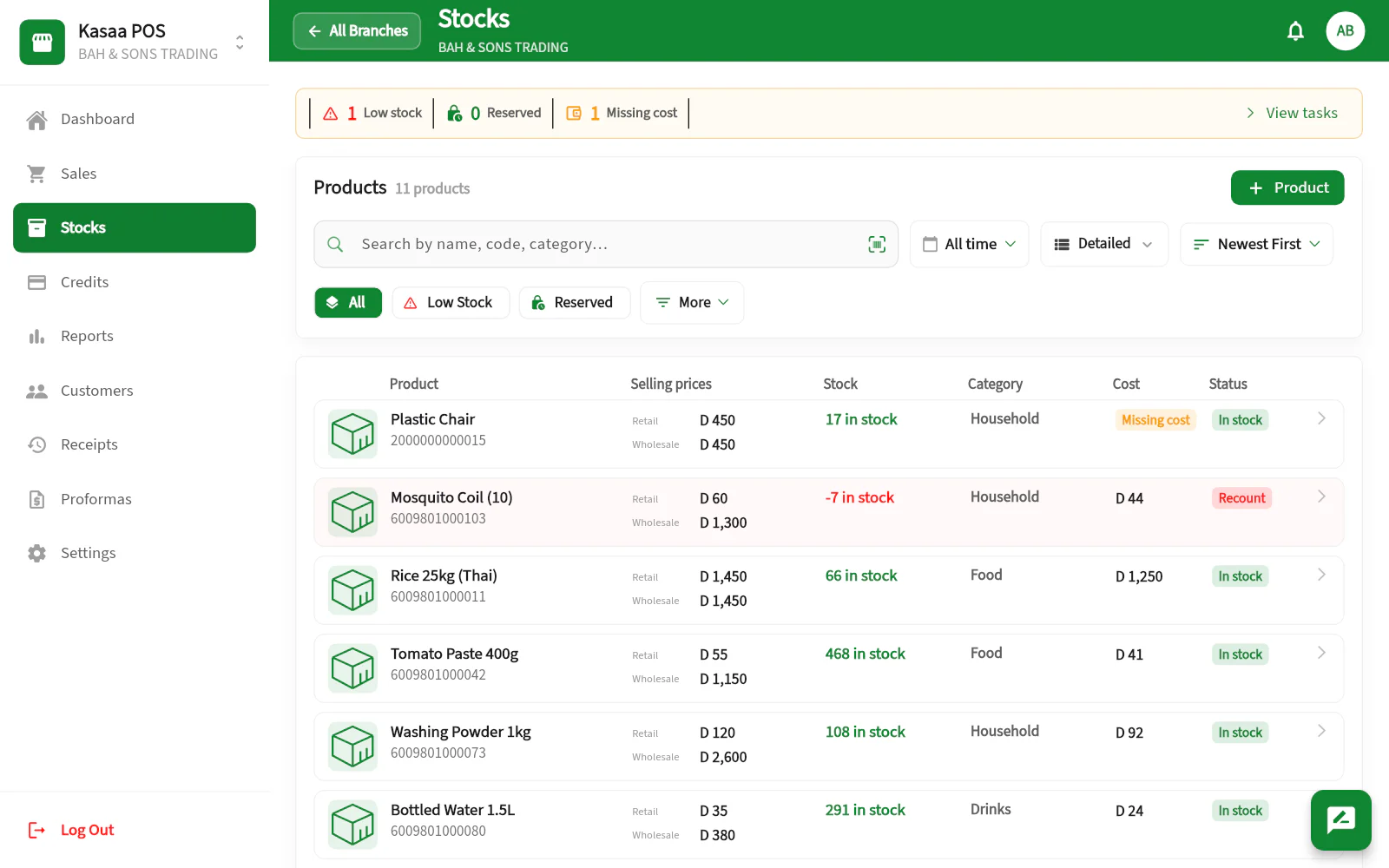
Stock that tracks itself
No separate stock book, no end-of-day reconciliation. The counter and the stock room finally agree, because they are the same system.
- Automatic stock updates on every completed sale
- Low-stock thresholds and alerts before you run out
- Retail and wholesale from one stock, tracked by unit and category
- A depot and its Branches, each holding its own stock and costs
- Restock in a tap, with reserved quantities visible
- Every movement logged with the staff member who made it
Goods that arrive without a barcode
Imported stock rarely carries a barcode you can rely on. Kasaa gives each article a proper code of its own and prints the stickers, so the same article scans the same way every time.
- A real barcode created for any article that has none
- Labels printed on rolls, with the price on the sticker
- A reprint reproduces the label already on the shelf
- Scan with your phone camera or a handheld scanner
From stock counts to real profit
Record the purchase price and what the goods cost to land — transport, delivery, customs — and Kasaa turns your inventory into business answers: what your stock cost, what it can sell for, and what margin you really make.
- Sellable value and known cost of your whole inventory
- Landed cost per unit, including transport and customs
- Missing-cost flags so no product hides from your margins
- You decide which employees may see cost, stock value and profit
Questions, answered
How can I track stock in my shop without a computer?
Kasaa runs on the phone you already have. Add your products once, and every sale updates the stock level automatically. When you want a bigger view, open the web app on any computer — same account, same data.
Can Kasaa tell me when a product is running low?
Yes. Set a low-stock threshold per product and Kasaa flags items before they run out, so you can restock in time.
Does Kasaa work for wholesale as well as retail?
Yes. Kasaa sells retail and wholesale from one stock, with quantities by unit and category, and keeps each Branch's stock separate if you run more than one.
Can I import my product list?
Yes. Using the Kasaa app on a phone or a computer, you can load a first product list from a spreadsheet — names, prices, stock, purchase costs and supplier details. It is made for setting up, so it adds products you do not have yet; after that you restock and edit inside Kasaa.
Can I run a depot that supplies my shops?
Yes. You set the depot up as its own Branch: it holds its stock, its purchase costs and its suppliers, and it invoices each shop it supplies, with the debt tracked until the shop settles. If the shops are your own Branches in the same country, the depot can instead send them stock as a transfer from the web app with Enterprise, once we switch transfers on with you during setup: the shop counts what arrived and both stocks update. There is no in-app ordering from shop to depot yet. Tell us how your depot works and we will map it out with you.
Do all my Branches share the same product list?
Not by default: each Branch has its own product list, prices and stock. With Enterprise, if we group your Branches, they can share a product’s name, photo and group price. Stock always stays separate for each Branch.