
Run every Branch without being in every Branch
One account for all your Branches. See sales, money owed and stock alerts for each one — and for the whole business — from your phone or your computer.
With a second shop, the owner's problem changes: you can no longer see what happens at the counter. You rely on phone calls, on notebooks brought back at night, and on trust.
Kasaa gives each Branch its own stock, staff and reports, and gives you one place to see them all. Staff work in the Branch you give them; you see every Branch.
Several Branches on one account are in every plan, each with its subscription. Staff accounts and credit come with Complete and Enterprise. Transfers and group products come with Enterprise. See prices
Free setup help · Works on the phone you already have · No equipment to buy
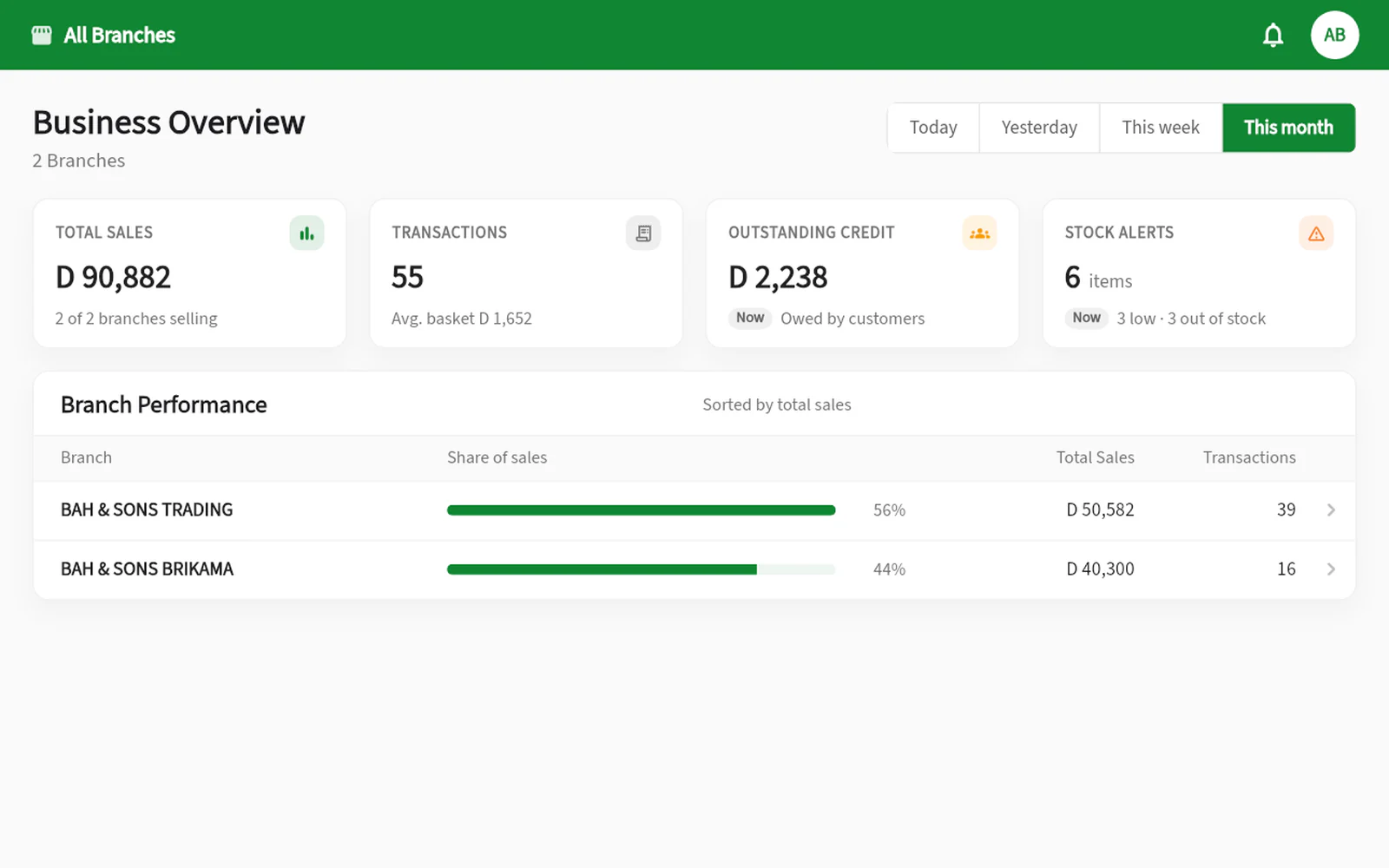
All your Branches at a glance
On the web, the Business Overview brings every Branch together for today, yesterday, this week or this month.
- Total sales and transactions across the business
- Money owed and stock alerts
- Branch performance, best first
- One tap to open any Branch in detail
Each Branch, under control
Each Branch keeps its own book of sales and stock — and you decide exactly what each person can do.
- Own stock, sales and reports per Branch
- Staff and permissions set Branch by Branch
- Who may see cost prices, stock value and profit
- A depot that supplies the Branches and invoices them
Questions, answered
Do I need one account per Branch?
No. One account holds all your Branches; you switch between them in one tap on mobile and on the web. Each Branch has its own subscription.
Can I move stock from one Branch to another?
Yes, between Branches in the same country, from the web app with Enterprise, once we switch transfers on with you during setup. One Branch sends the goods, the other counts what arrived, and both stocks update.
Can a cashier see the other Branches?
Only if you allow it. Staff work in the Branches you assign them, with the permissions you choose.