
Know what you sold, what’s left and who owes you — in every Branch.
Kasaa records every sale, updates your stock and tracks customer credit — cash, Wave, Afrimoney, QCell, APS or bank. Sell on your phone at the counter. Open it on your computer to see the whole business.
Free setup help · Works on the phone you already have · No equipment to buy
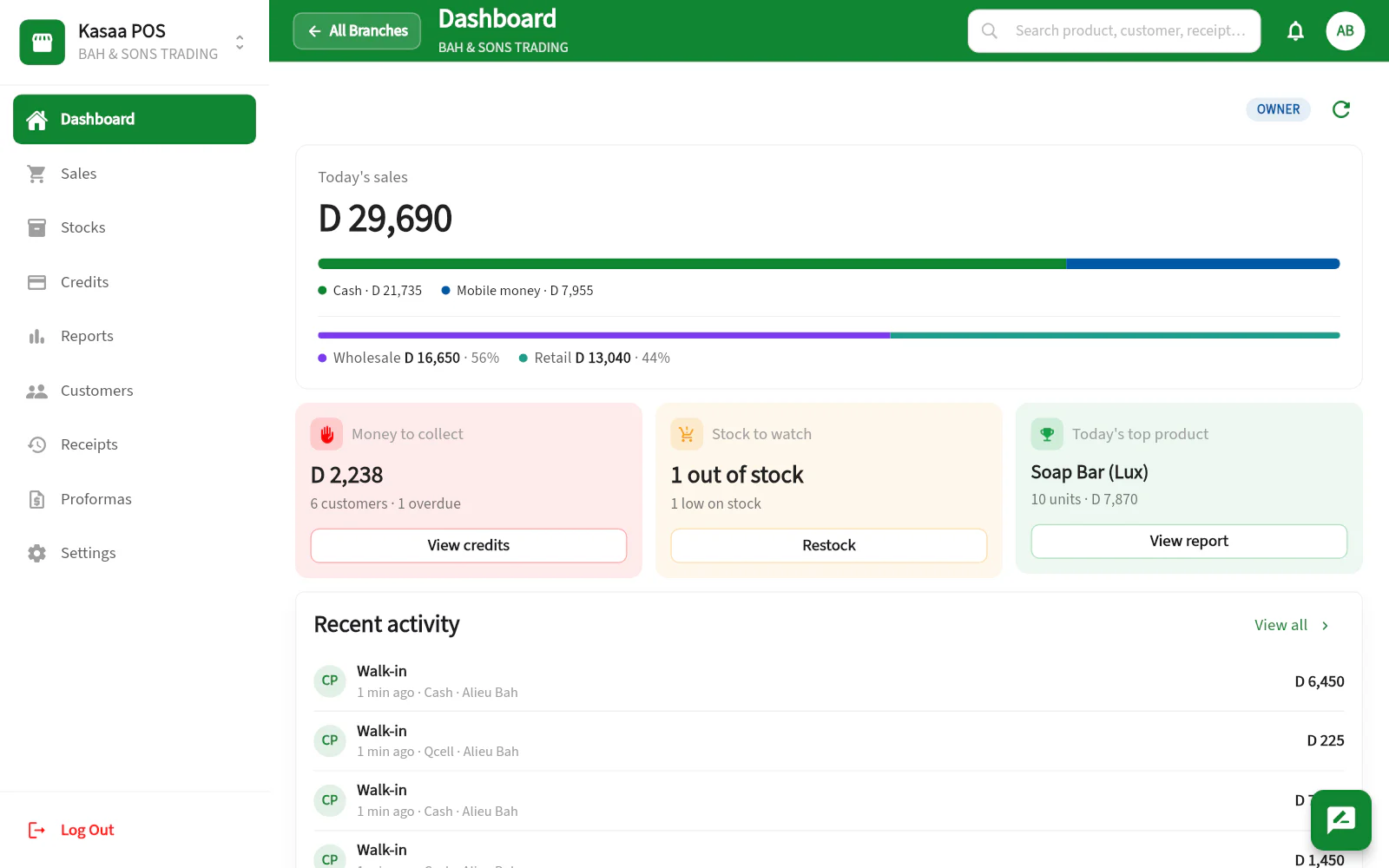
Dashboard
↻Today Items Sold
64
Today's sales
D 29,690
Today Wholesale
D 16,650 · 56%
Today Retail
D 13,040 · 44%
Total Items Sold
1,204
Total Sales Value
D 412,800
Total Stock Items
342
Total Stock Value
D 248,500
Menu
Records the payments your customers already use


The notebook is costing you money
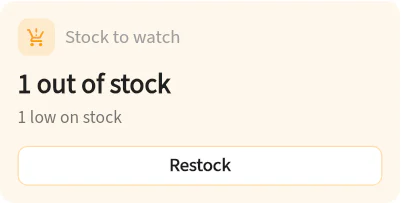
You don’t know what’s left on the shelf
Every sale updates your stock. Low-stock alerts tell you what to reorder before your best seller runs out.
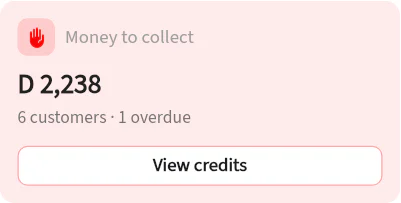
Credit disappears in a notebook
Every credit sale is saved against the customer, with a due date. See who is overdue, log repayments in seconds, and share a clear credit statement.
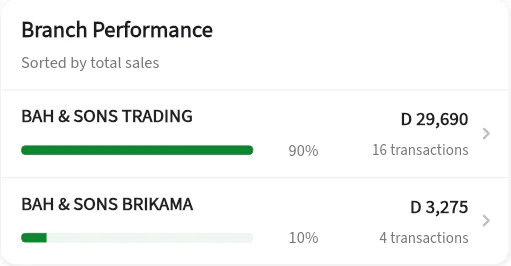
You can’t be in every shop at once
Check today’s sales, cash in and money owed from your phone — Branch by Branch, wherever you are.
From the first sale to the end-of-month report
Kasaa replaces the calculator, the notebook and the guesswork.
Sell faster at the counter
Scan or tap items, then take cash, mobile money or bank — or split one sale across several. Credit sales come with Complete. Send the receipt on WhatsApp, or print it.
Retail and wholesale, one system
Sell the same article by the piece and by the carton, each at its own price, from one stock that Kasaa converts.
Your real cost, your real margin
Record what goods cost to land — transport, delivery, customs. Reports show profit, margin, best sellers, payment methods and peak hours.
Quotations and invoices
Quote a job, then turn it into a sale. Print or send A4 and A5 invoices with your tax number and business details.
Every Branch. One account. Your eyes everywhere.
Open a new Branch without starting over. Each Branch keeps its own stock, staff and reports, and you switch between them in one tap — on your phone or your computer.
- All Branches at a glance on the web: total sales, transactions, money owed and stock alerts, and which Branch is doing best today, this week or this month
- Sales, cash in and outstanding credit for each Branch
- Your depot runs as a Branch: it holds stock at what it cost to land and invoices the Branches it supplies
- Staff only work in the Branches you give them (Complete and Enterprise)
Branch-to-Branch transfers come with Enterprise and are switched on with you during setup: one Branch sends the goods from the web app, the other counts what arrived, and both stocks update.
Built for how you sell
Start small with one phone. Grow into several Branches without changing system.
Small shop
Start with your phone. Sell, track stock and share receipts on WhatsApp. Add credit with Complete.
Learn more →Mini-market
Scan fast with a handheld scanner, print receipts, and see your best sellers and peak hours.
Learn more →Wholesaler
Sell by the piece and by the carton, quote and invoice businesses, and sell on credit with due dates.
Learn more →Depot or distributor
Value stock at what it cost to land, invoice the shops you supply, and track what each one owes.
Learn more →Several Branches
Every Branch on one account — see sales and money owed without driving across town.
Learn more →Trust your staff. Check anyway.
- Decide who may see cost prices, stock value and profit — person by person, Branch by Branch.
- Set a price range for each product: a negotiated price outside it is refused. Discounts need your permission.
- See what each seller sold, and every stock movement with the name of who made it.
- Export sales, stock and credit to Excel for your accountant.
Build the Kasaa setup that fits your business
Kasaa runs on the phone you already have and needs nothing else to start. Add equipment when your business asks for it — not because a package told you to.
Starting out
Your phone
Sell, scan with the camera, print or share the receipt. Nothing to buy.
A busy counter
Computer or POS terminal + handheld scanner + receipt printer
Open the web app in a browser for a wider workspace, and scan with a plugged-in reader instead of the camera.
Goods that arrive unlabelled
+ barcode label printer
Give imported articles a real barcode and print your own stickers, on your own label roll.
Selling to businesses
+ A4 or A5 printer
With Complete, print invoices and quotations carrying your tax number and business details.
Imported goods with no barcode? Kasaa creates a proper one and prints your labels. See how barcodes work. Kasaa prints through your device’s normal printing, so it works with the printer you already have rather than one model we picked for you. Buying equipment? Send us the model first and we will confirm it works with your setup before you spend anything.
Selling with Kasaa in three steps
Tell us about your business
A few answers on WhatsApp: what you sell, how many Branches, how many staff.
We set it up with you
Your Branches, your products — typed in or imported from Excel — and your staff with their permissions.
Make your first sale
On your phone at the counter. Then open the web app to see the whole business.
Essential, Complete or Enterprise
One price per Branch, in your country’s currency. A custom quote for groups, depots and advanced needs.
Questions shop owners ask
Does it work when the internet goes off?+
Yes. Open Kasaa with a connection first; after that, sales made during a cut are saved on the device and sync when you are back online. In a browser, don’t use a private window. Some actions, like transfers, need internet.
Do I need to buy equipment?+
No. Start with the phone you already have. Add a scanner or a printer when your counter gets busy — and send us the model first, we will check it works.
Does Kasaa take the money?+
No. Kasaa records how the customer paid. The money goes to Wave, Afrimoney, QCell, APS or your bank as usual.
Can I move stock between Branches?+
Yes, with Enterprise: between Branches in the same country, from the web app, once we switch transfers on with you during setup. One Branch sends the goods, the other counts what arrived, and both stocks update.
Can my staff see my profit?+
Staff accounts come with Complete and Enterprise, and they see profit only if you allow it. Cost prices, stock value and profit are separate permissions, set person by person and Branch by Branch.
Can I bring my product list?+
Yes. Import it from an Excel file on your phone or computer, with prices, stock, costs and suppliers.
Does Kasaa work in Senegal?+
Kasaa works in CFA and in French, and has its own prices for Senegal on the Pricing page. Talk to us about the payment methods you use and we will confirm your setup.
See Kasaa with your own products.
Send us a message. We will show you Kasaa with your products and your Branches, and help you set it up.
Free setup help · Works on the phone you already have · No equipment to buy